
If the Elonga app won’t start, crashes immediately after opening, freezes, or shows an error message, it is usually caused by corrupted stored data, app cache, or an incomplete sensor pairing.
1. How does the problem usually appear?
You may experience:
the app doesn’t open at all,
it crashes immediately after launch,
the app repeatedly freezes or stops responding,
an error message appears when you try to start it,
a measurement won’t start and the app freezes while loading.
2. Most common reasons why the app isn’t working
Typical causes include:
corrupted cache or stored app data,
outdated sensor authorization causing errors at startup,
issues after updating the app or operating system,
missing permissions or background app restrictions,
technical Bluetooth issues that block the app from loading correctly.
The good news is that most of these issues can be resolved quite easily.
3. Recommended step-by-step procedure
The following procedure is recommended directly by the development team and resolves the problem in most cases.
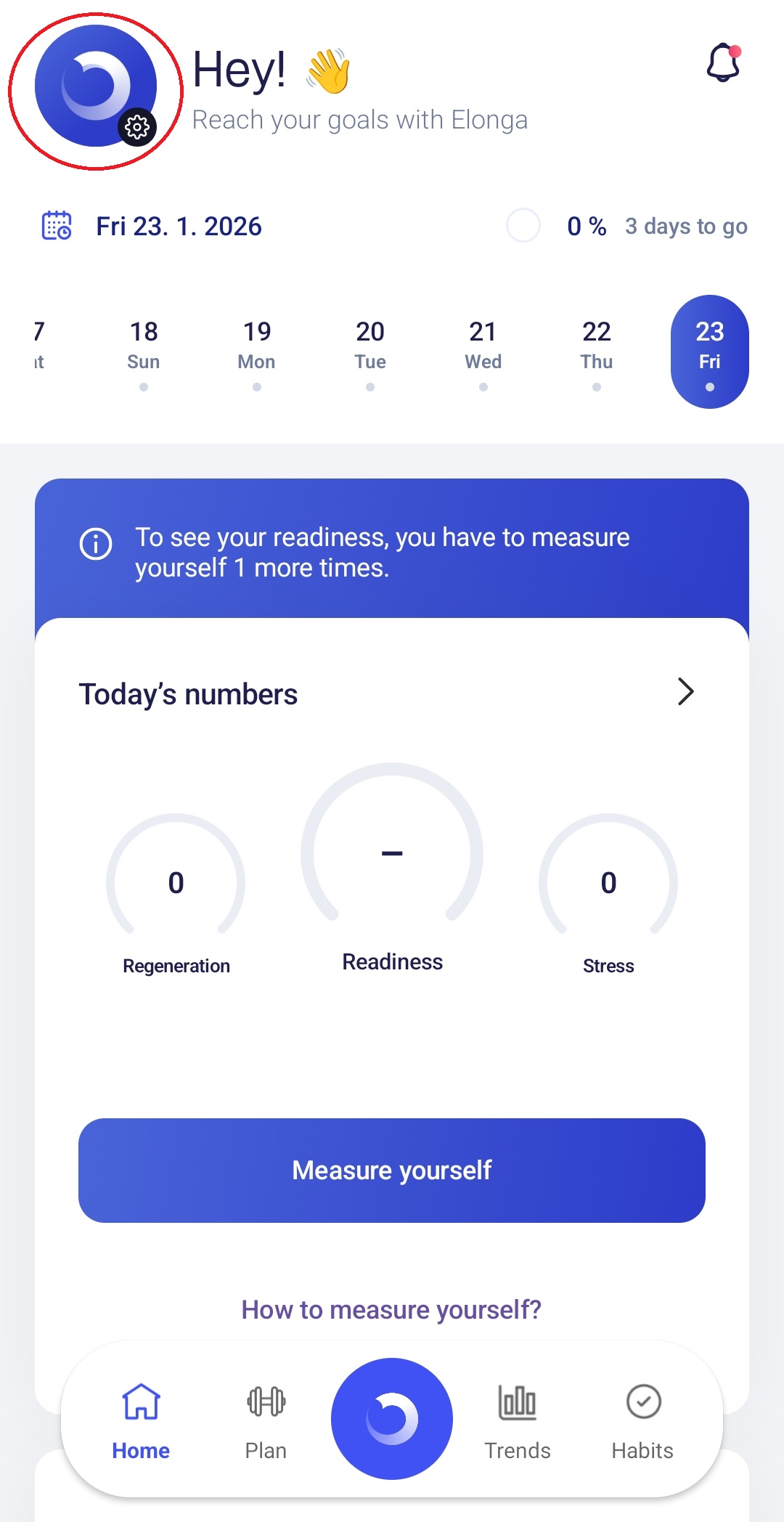
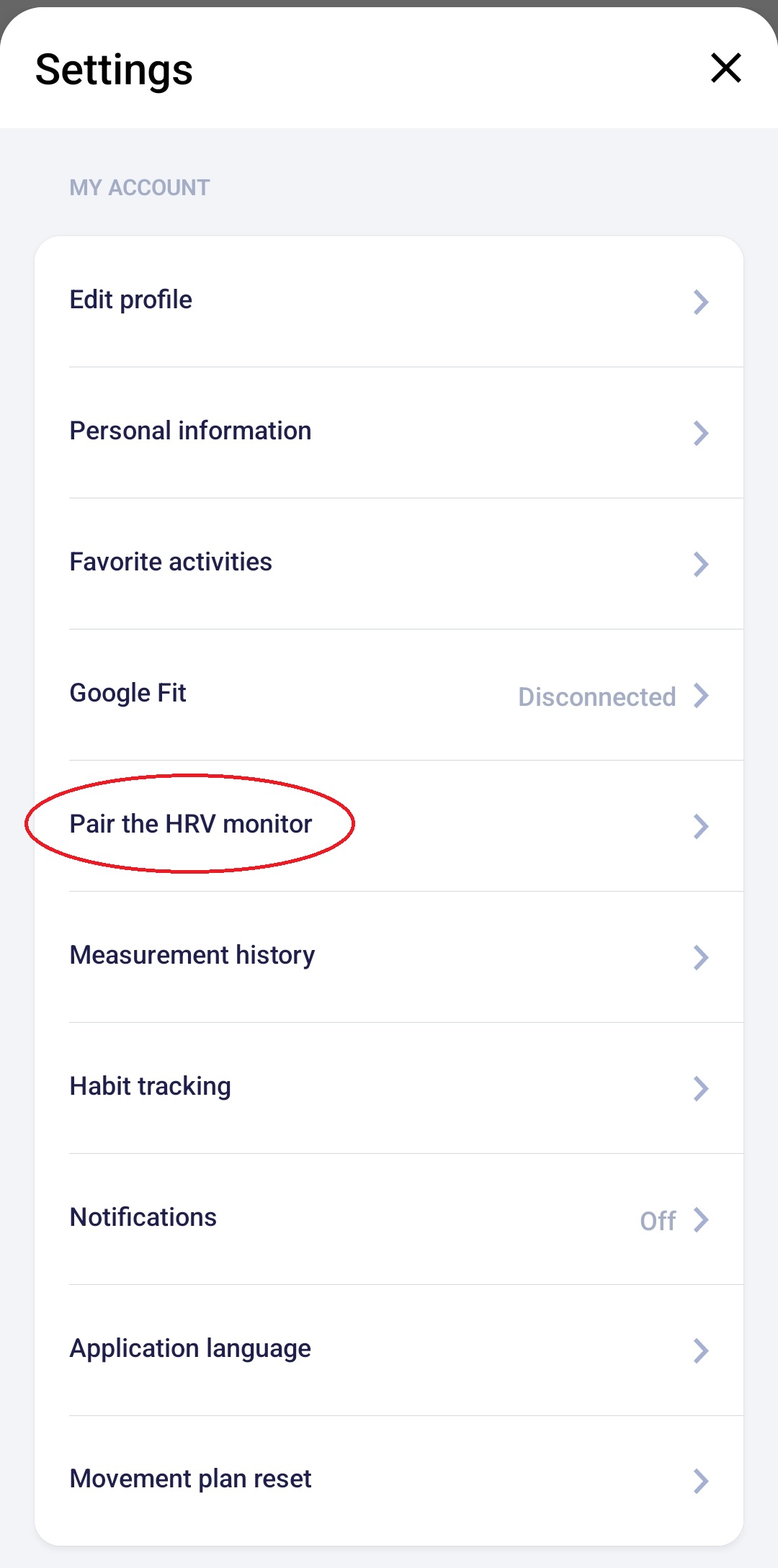
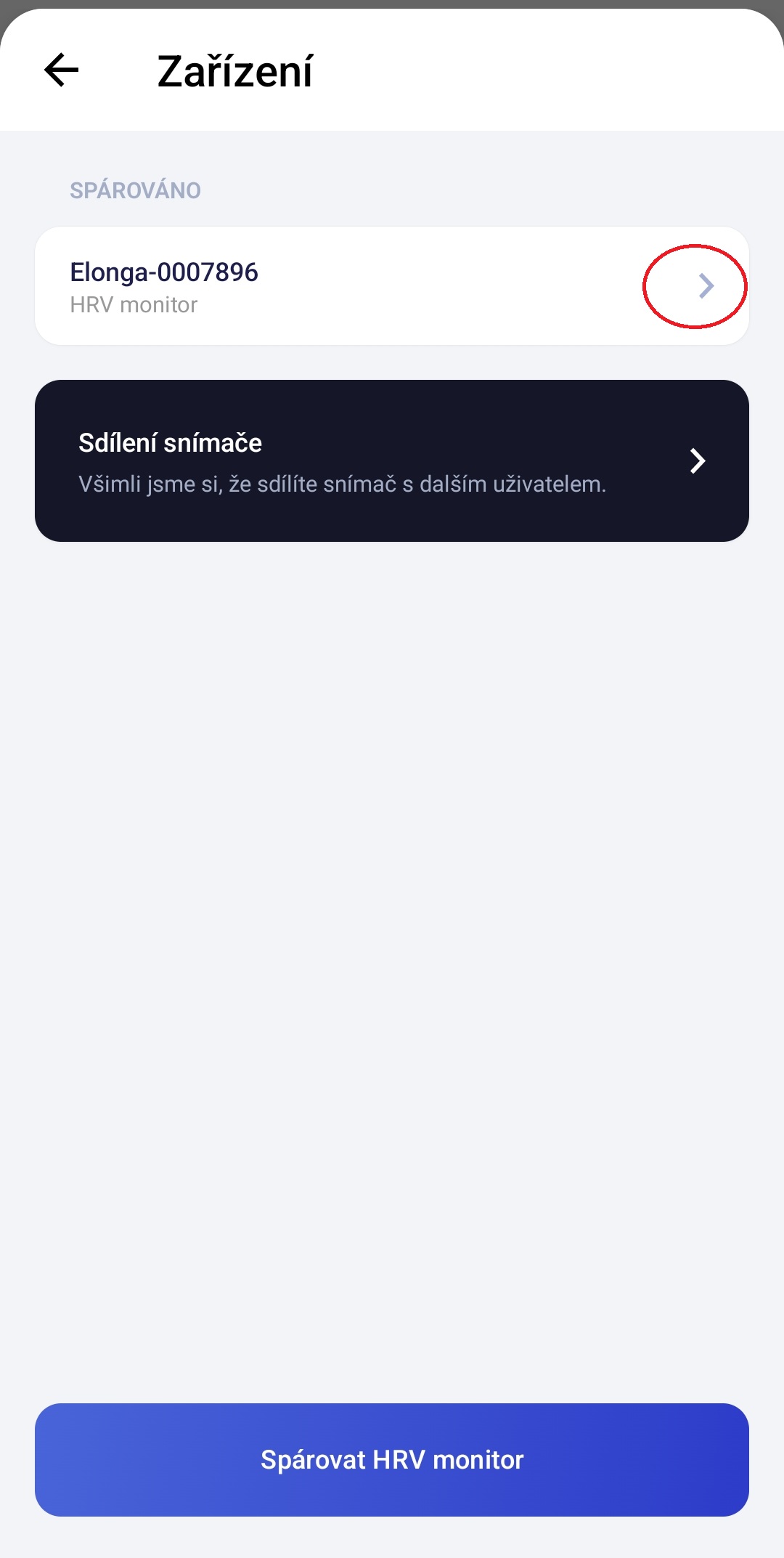
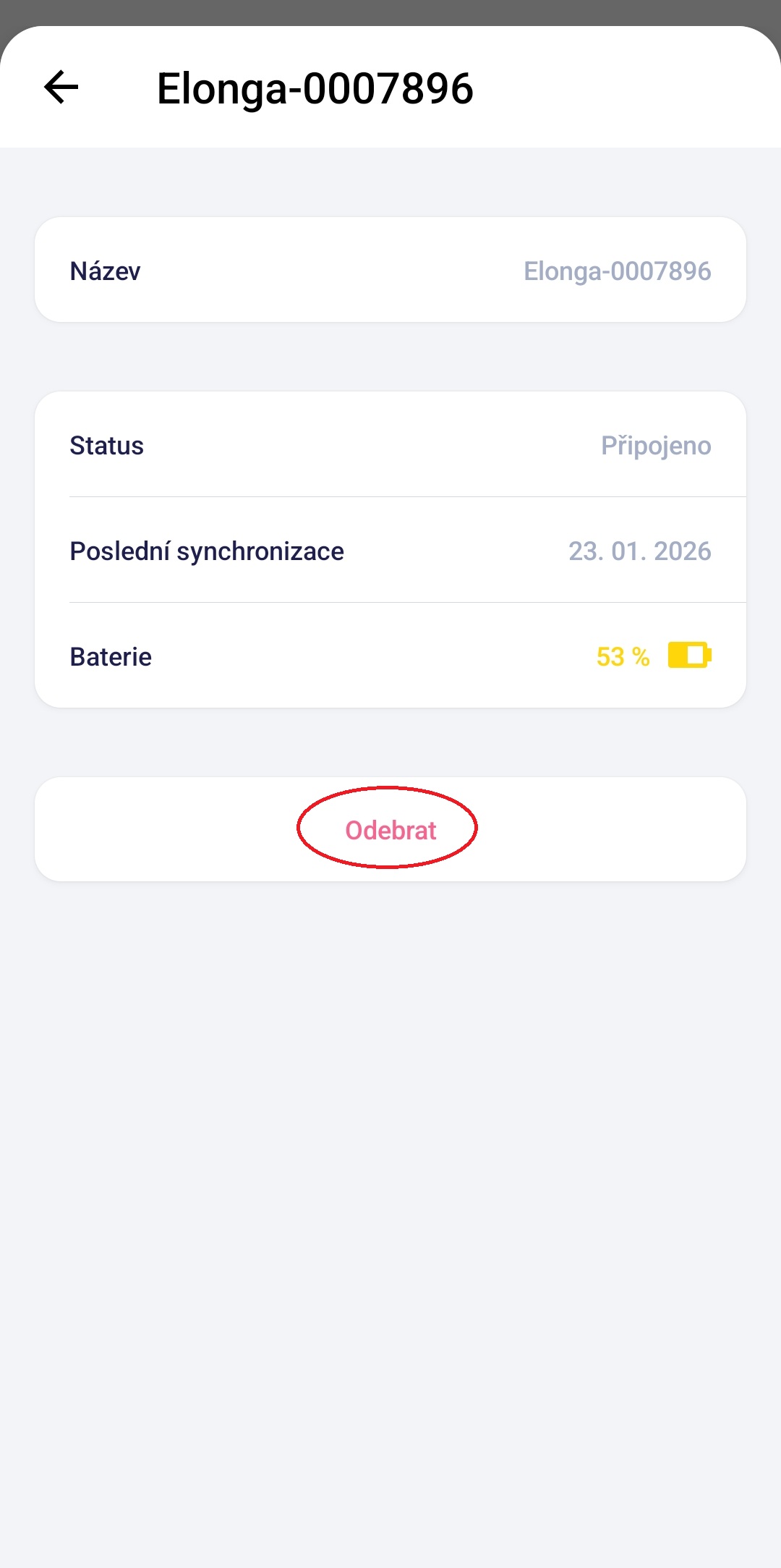
Step 1: Remove the sensor pairing
Do this both in your phone settings and in the Elonga app:
remove the “Elonga sensor” from Bluetooth devices on your phone,
remove the paired sensor in the Elonga app.
Step 2: Clear app data and cache
On your phone, go to:
Settings → Apps → Elonga
Tap:
Clear data
Clear cache
You will not lose the data stored in your Elonga account.
Step 3: Uninstall the app
Uninstall the Elonga app from your phone as usual.
Step 4: Restart your phone
This clears remaining processes and frees system resources that might be blocking the app.
Step 5: Reinstall the app
Download the Elonga app again from the App Store or Google Play and log in.
Then try to:
open the app,
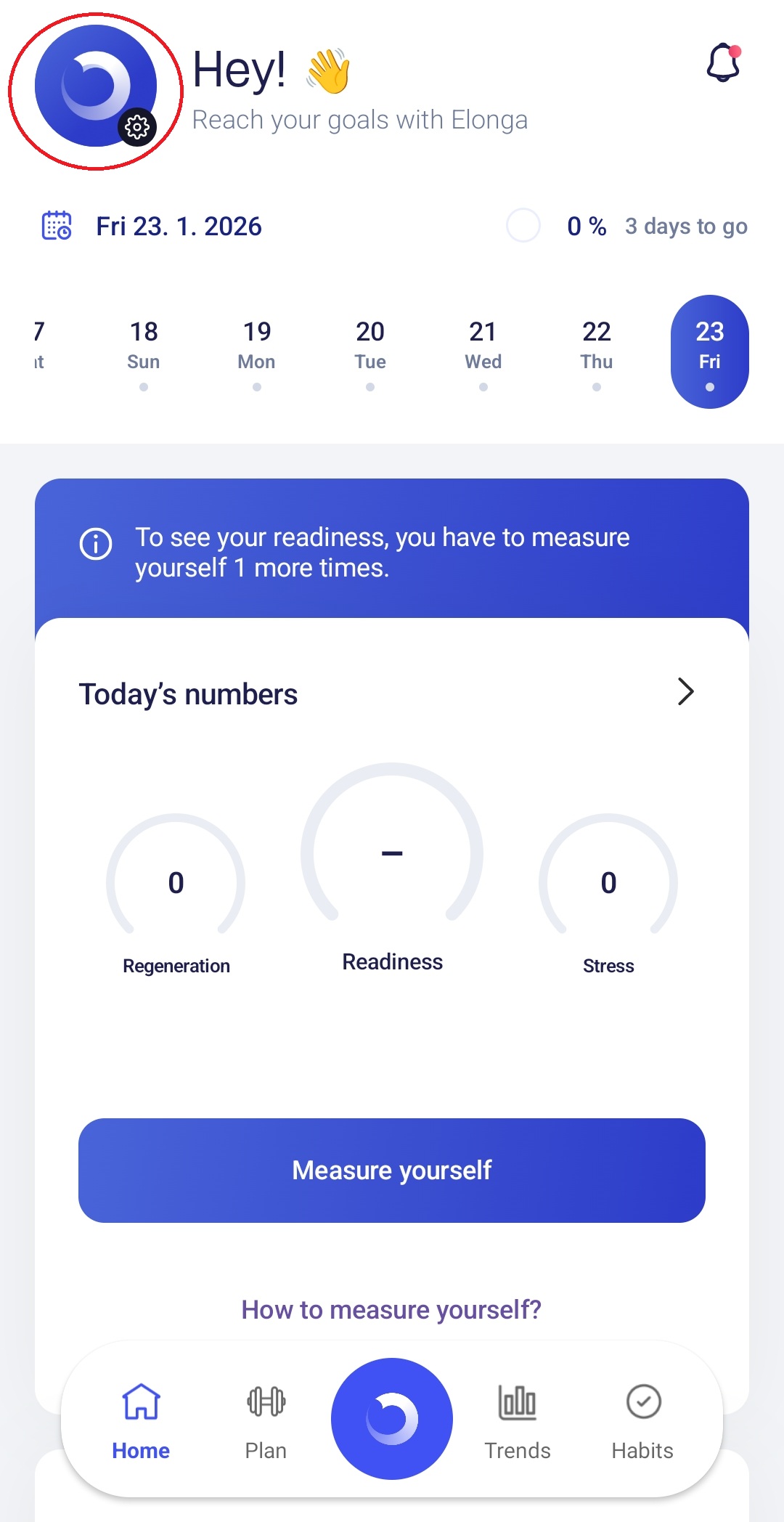
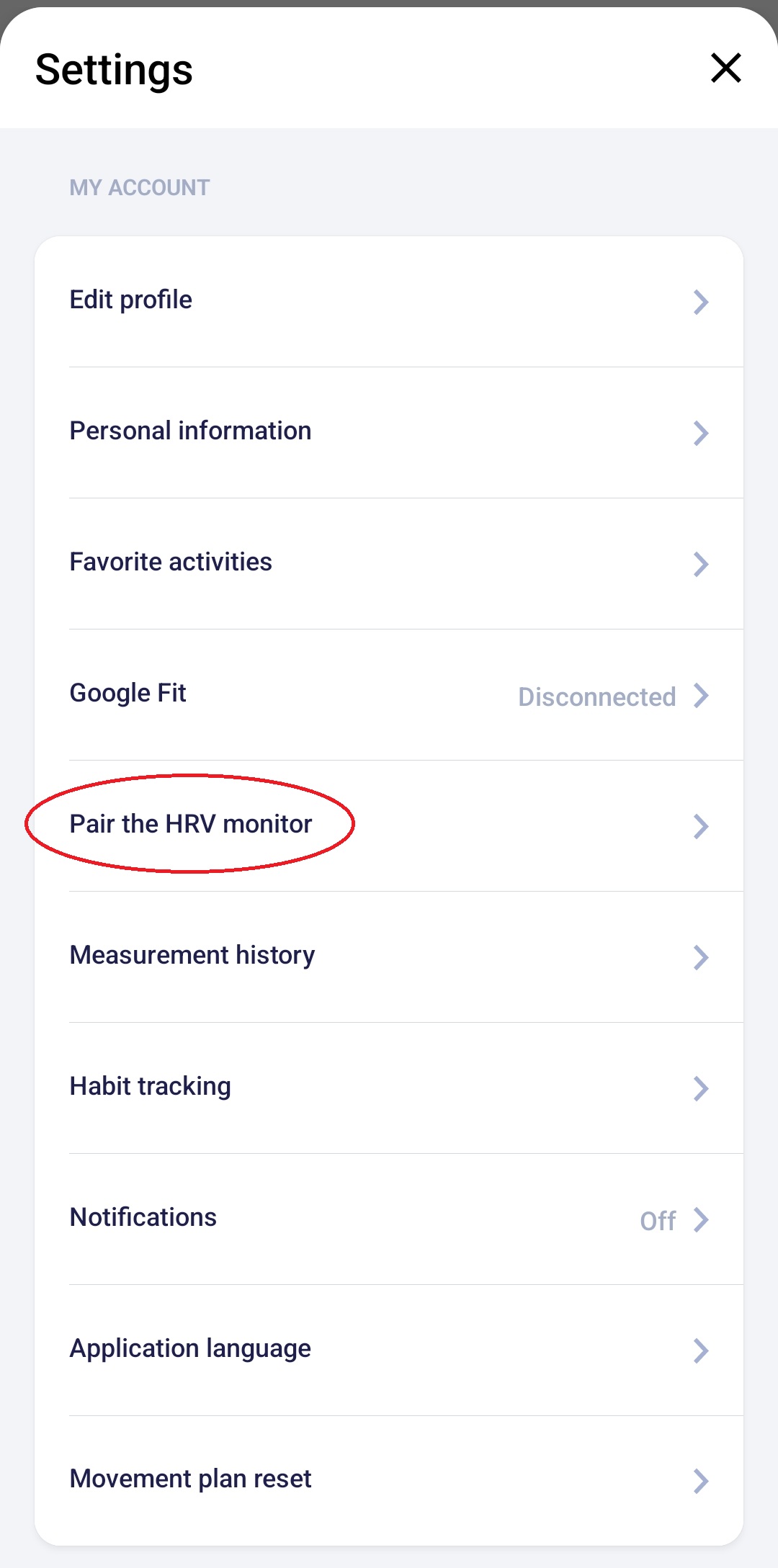
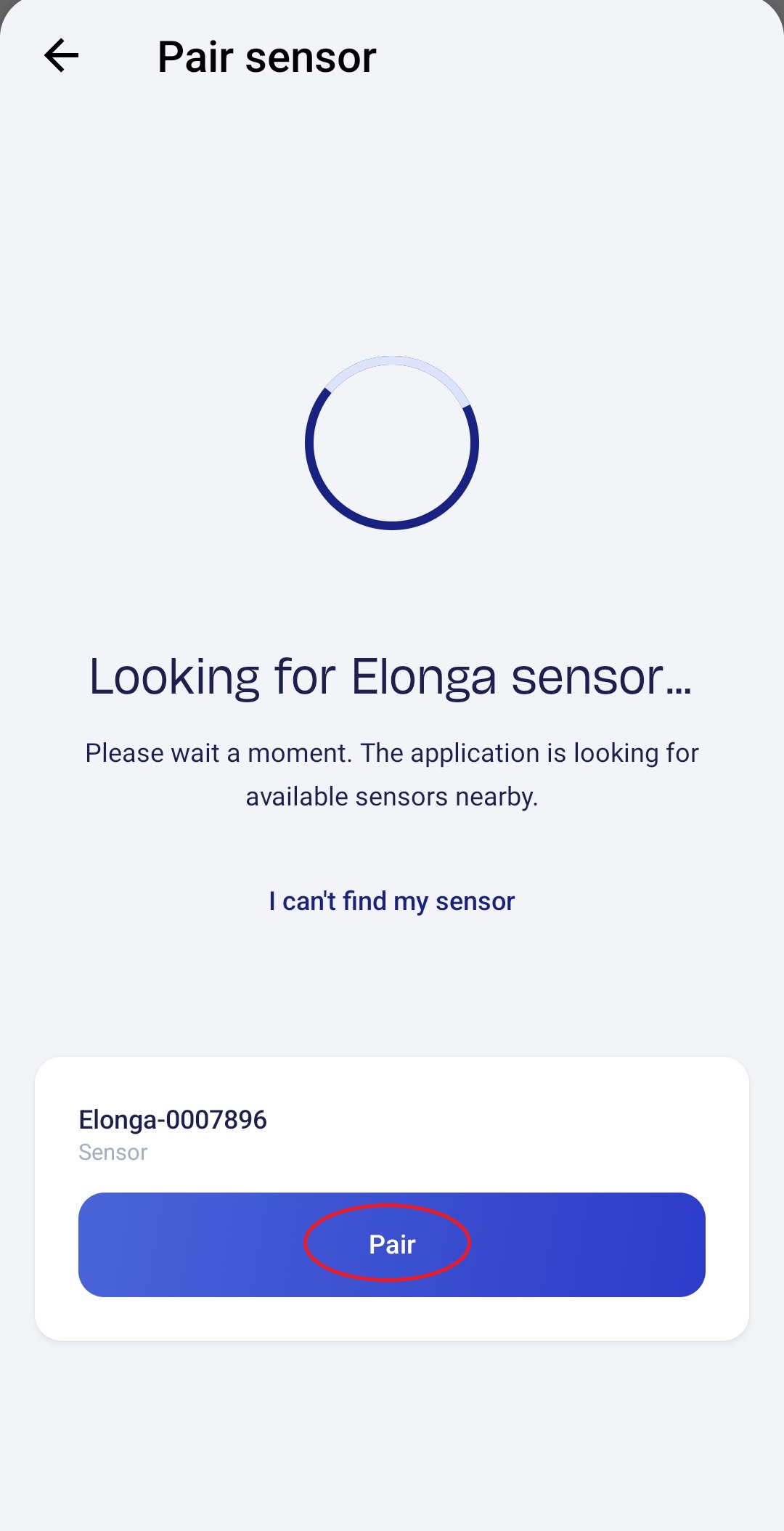
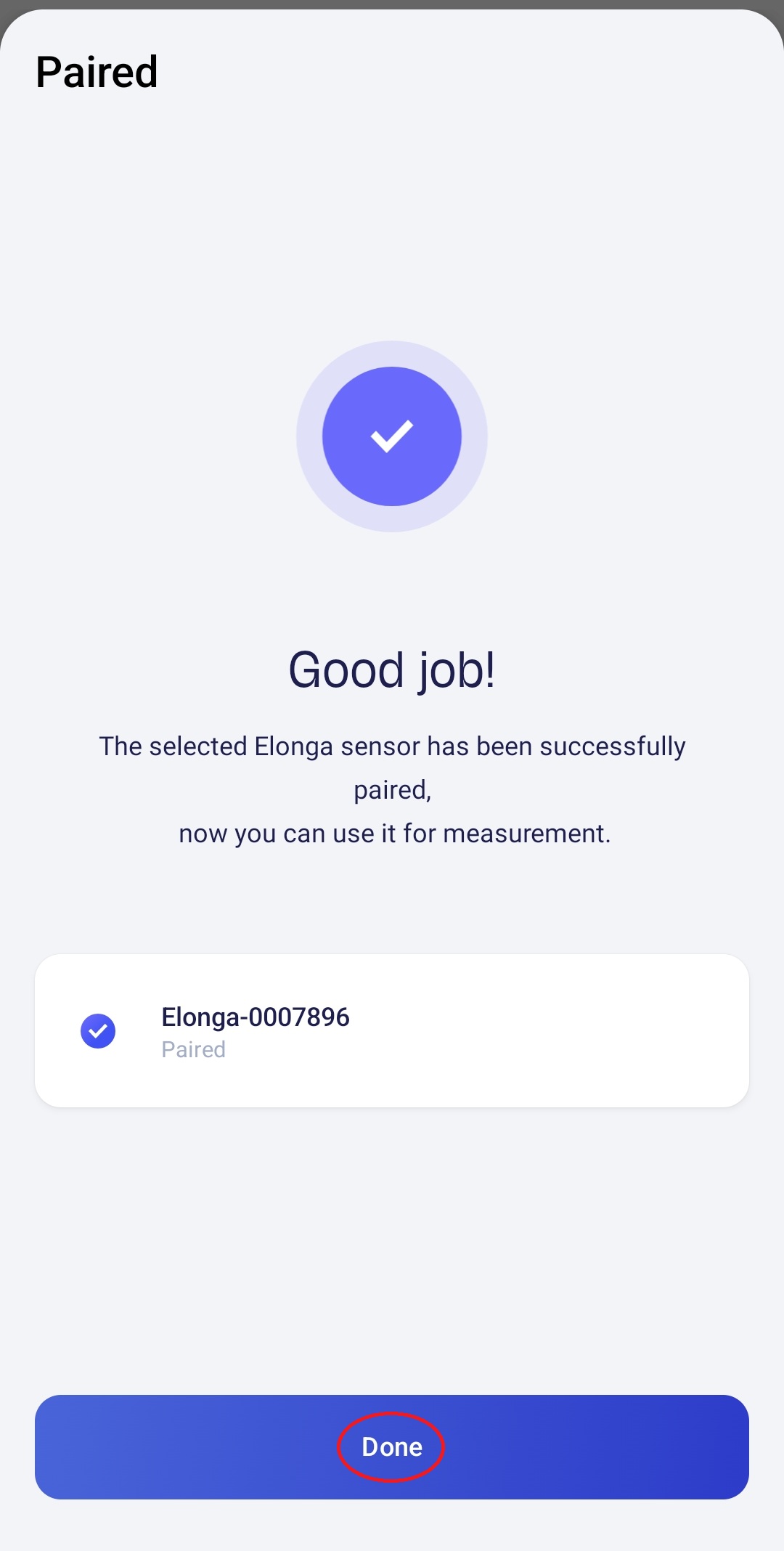
pair the sensor again in Settings,
start a new measurement.
In most cases, this fully resolves the issue.
4. What if the app still doesn’t work?
If the problem persists, it helps if you send us:
your phone model and OS version,
when the problem occurs (on startup, after pairing, during measurement, etc.),
a screenshot or description of any error message shown.
We can then review the situation with the development team and suggest next steps.
5. When should you contact us?
Please contact our customer support team, if:
the app keeps crashing even after reinstalling,
it won’t open at all,
the issue started after an app or system update,
you are unable to pair the sensor again.
We’ll be happy to help you resolve the issue as quickly as possible.
Was this article helpful?
That’s Great!
Thank you for your feedback
Sorry! We couldn't be helpful
Thank you for your feedback
Feedback sent
We appreciate your effort and will try to fix the article