
If you have an active 30-day trial, you can switch to a full membership at any moment either automatically or by activating it manually in the app.
1. How the Trial Works
The trial gives you unrestricted access for 30 days:
lasts 30 days,
includes full access to all features,
allows manual upgrade anytime,
once the trial ends, the app will be limited unless membership is activated.
2. Activating Membership During the Trial (Manual Activation)
To activate full membership before the trial ends:
open the Elonga app
go to Settings (top-left icon)
select ElongaPlus
choose your plan (monthly / annual / two-year)
confirm activation
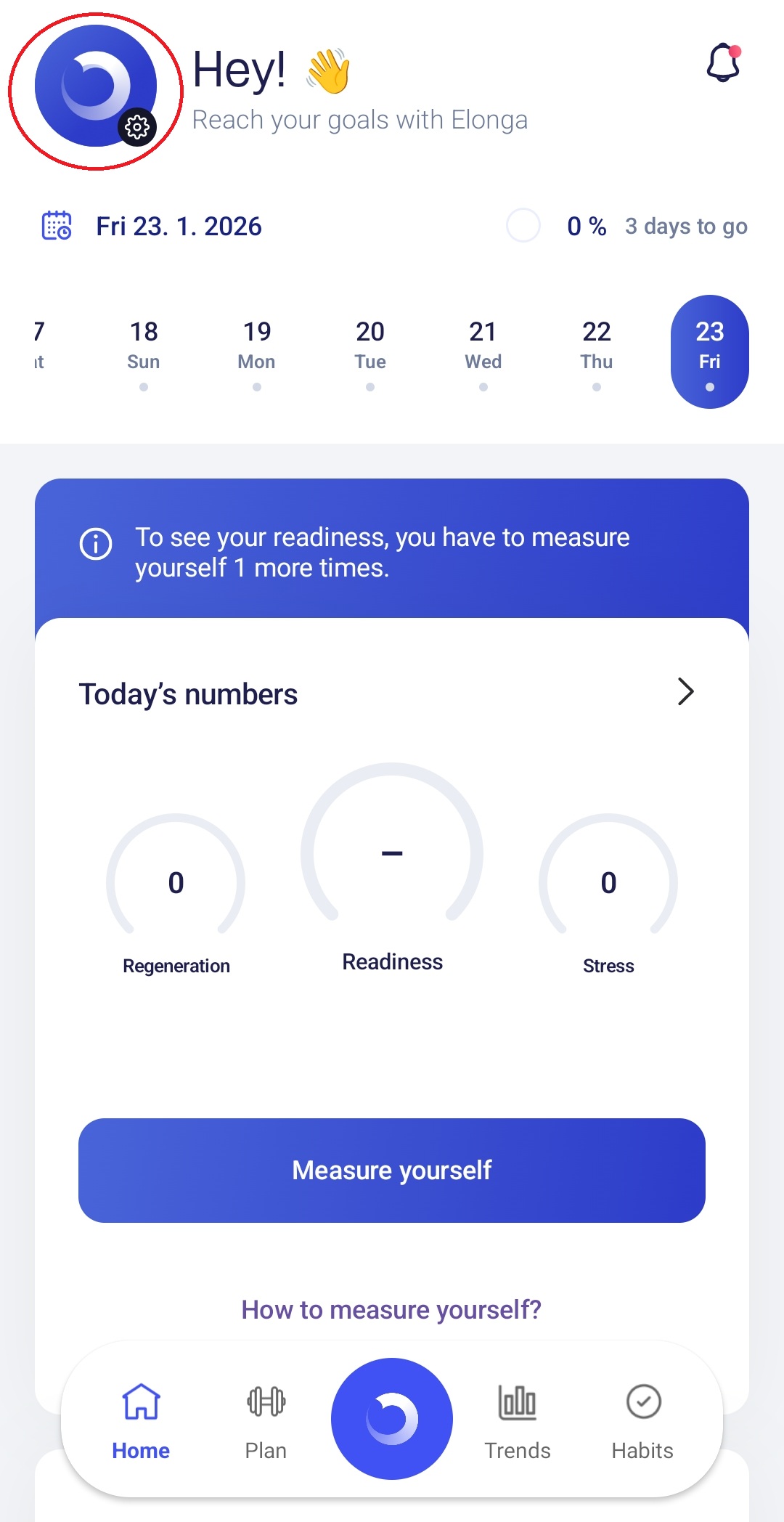
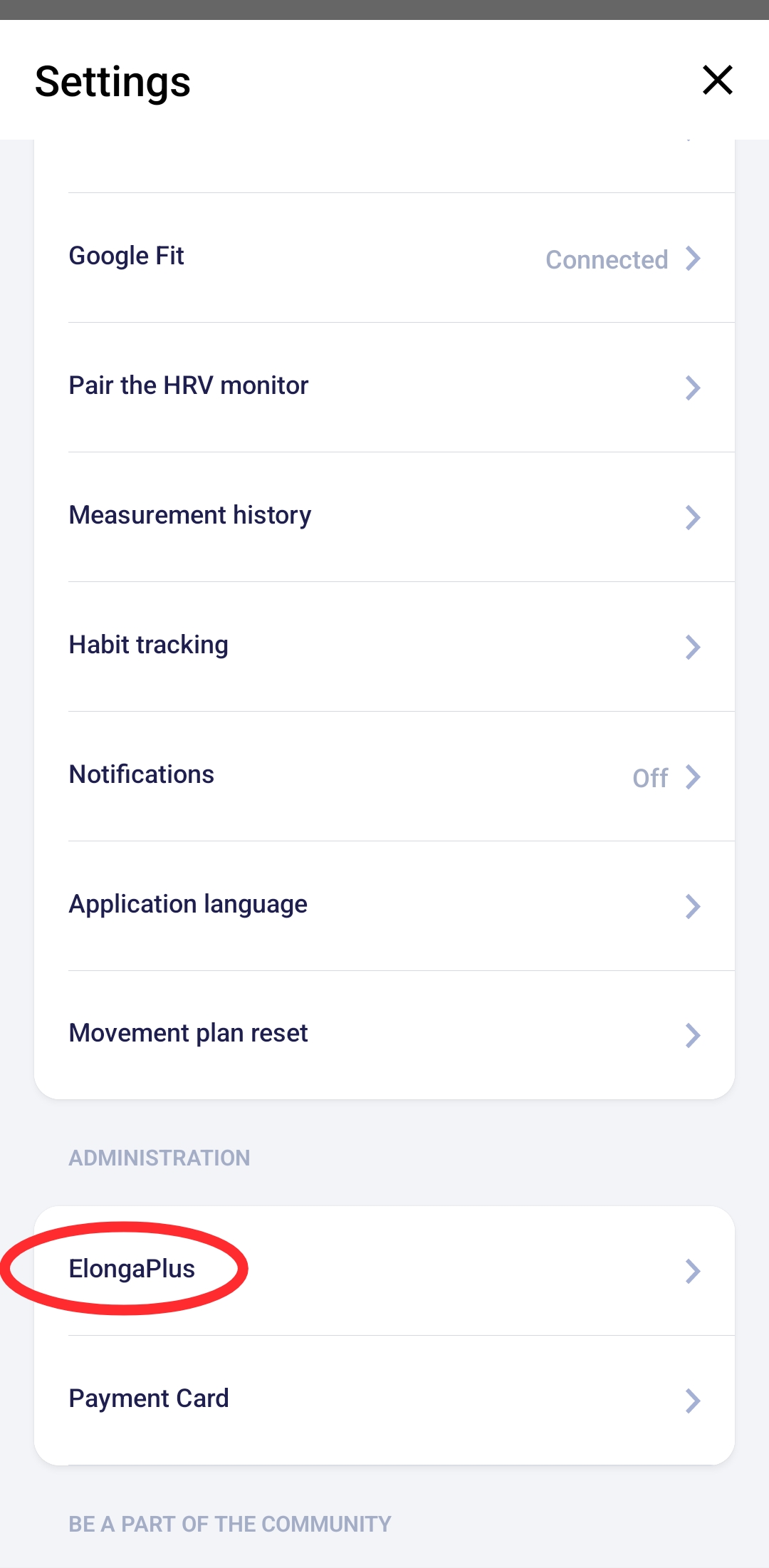
Membership becomes active immediately and replaces the trial.
3. Automatic Activation After the Trial
Activation depends on your setup:
- If you purchased the Elonga sensor on the official website → membership activates automatically on the delivery day.
- If you only have a trial with no paid plan → after the trial ends, the app will prompt you to activate a plan.
- If you already purchased a paid membership → it activates automatically right after the trial finishes.
4. How to Confirm That Membership Is Active
Open:
Settings → ElongaPlus
You will see:
your active subscription type,
its validity period,
or a note that you are still in the trial.
5. What If Membership Didn’t Activate?
Check these points:
Are you logged in with the same email used for your sensor order?
Has the trial actually ended?
Is the app updated?
Do you have multiple accounts?
If the membership still isn’t visible, contact our customer support team. We’ll verify everything and activate it manually if needed.
Was this article helpful?
That’s Great!
Thank you for your feedback
Sorry! We couldn't be helpful
Thank you for your feedback
Feedback sent
We appreciate your effort and will try to fix the article