
Welcome to Elonga! Thank you for ordering our sensor. You’re just a few steps away from your first measurement. Below you’ll find a simple guide on how to activate your account, connect the sensor, and complete your first measuring.
1. Account Activation
After you placed your order, an Elonga account was automatically created for the email address you entered during the purchase. An email with your login details was sent to this address.
Email subject: Welcome to Elonga! How to activate your account.
The access email includes:
a link to download the Elonga app for iOS and Android
your username (login)
a temporary password, which you can change after you log in
1. Activation steps
Download the Elonga app from the App Store or Google Play.
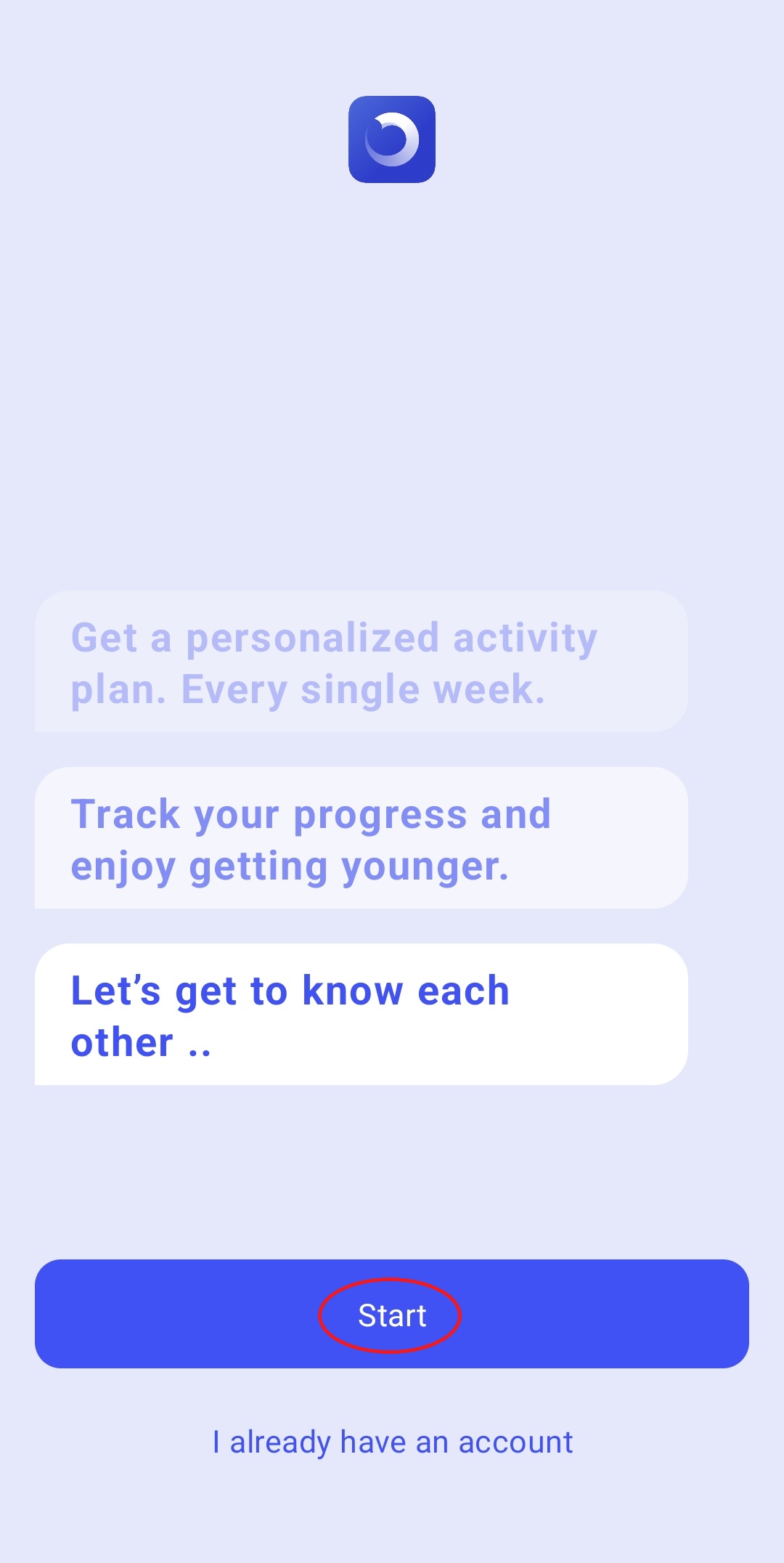
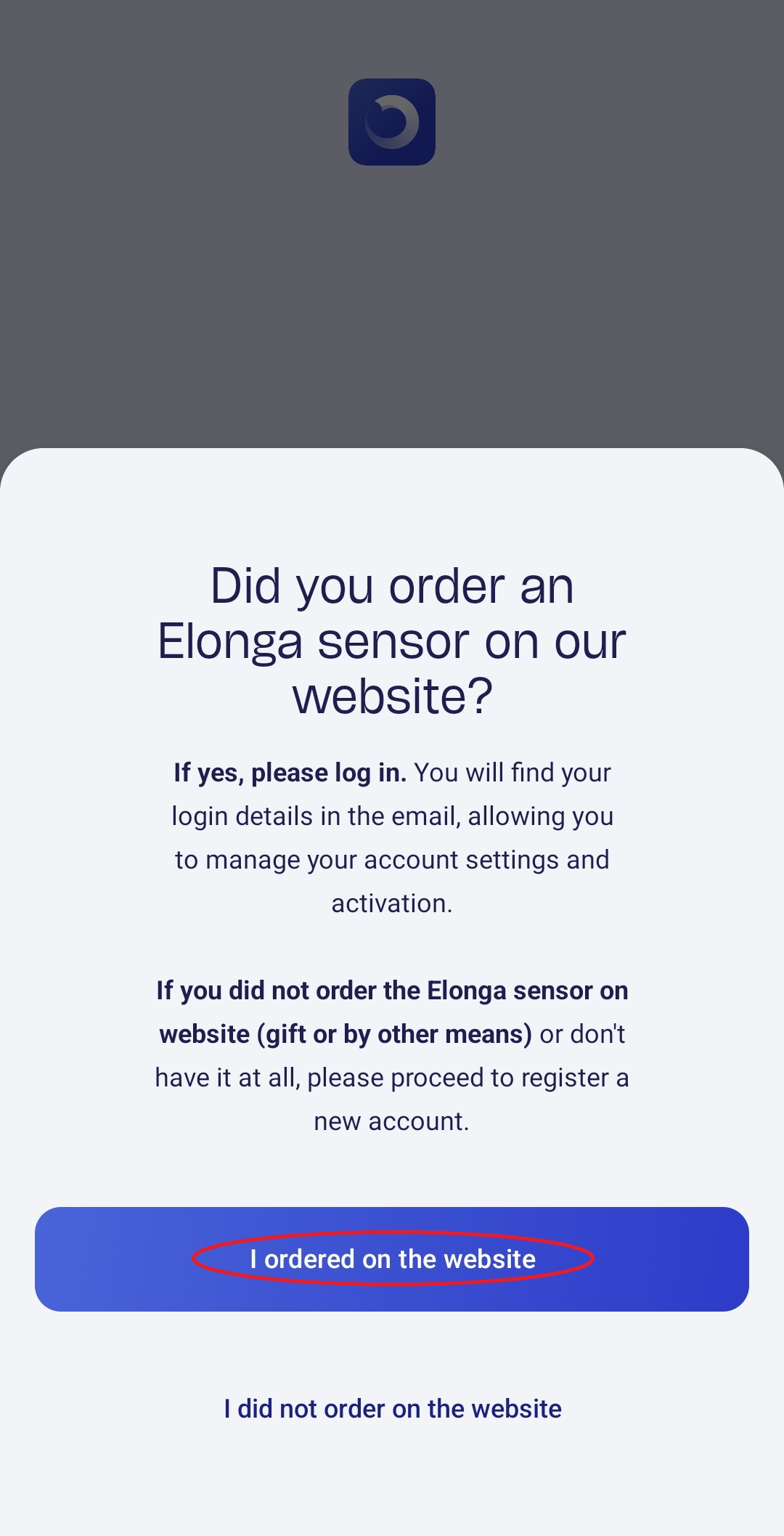
Open the app and select Start – I ordered on the web.
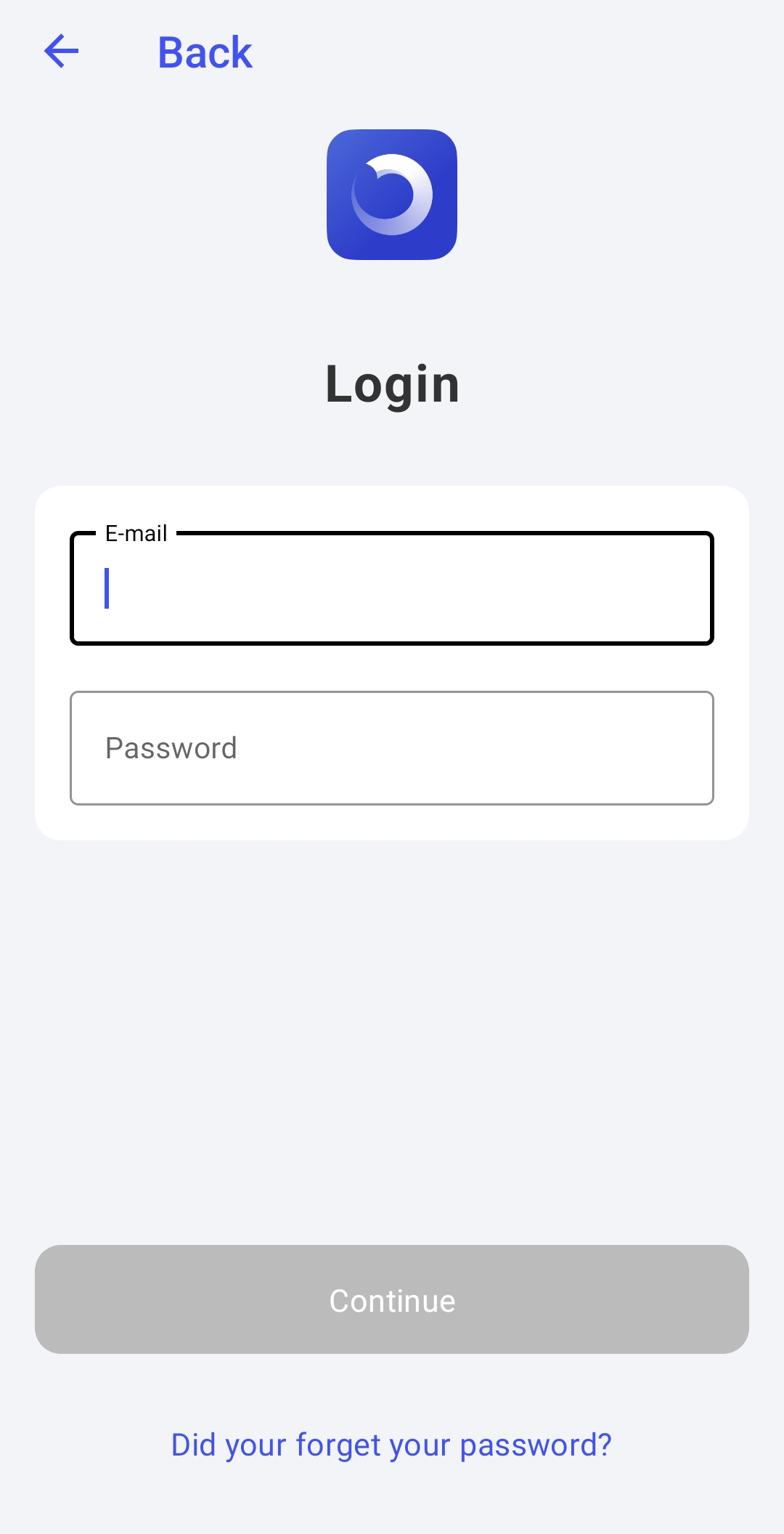
Enter the login details from the email (login and temporary password).
Complete the account setup by following the instructions in the app.
After your first login, you can change your password in Account Settings.
Purchased as a Gift?
If Elonga was purchased as a gift, please write to us at support@elonga.com after giving the gift. We will transfer the account to the recipient's email address.
In the email, please include your order number and the new email address to which the account should be transferred.
2. Membership Activation
Your ElongaPlus membership is activated automatically on the day the sensor is delivered. From that day forward, you have full access to all app features, personal metrics, overviews, and training recommendations. If your sensor hasn’t arrived yet, you can still log in, explore the interface, and prepare for your first measuring.
3. Charge and Connect the Sensor
Connect the sensor to the charging cable. A short LED flash indicates charging.
Turn on Bluetooth and switch on the sensor (short press of the button)- it will blink blue.
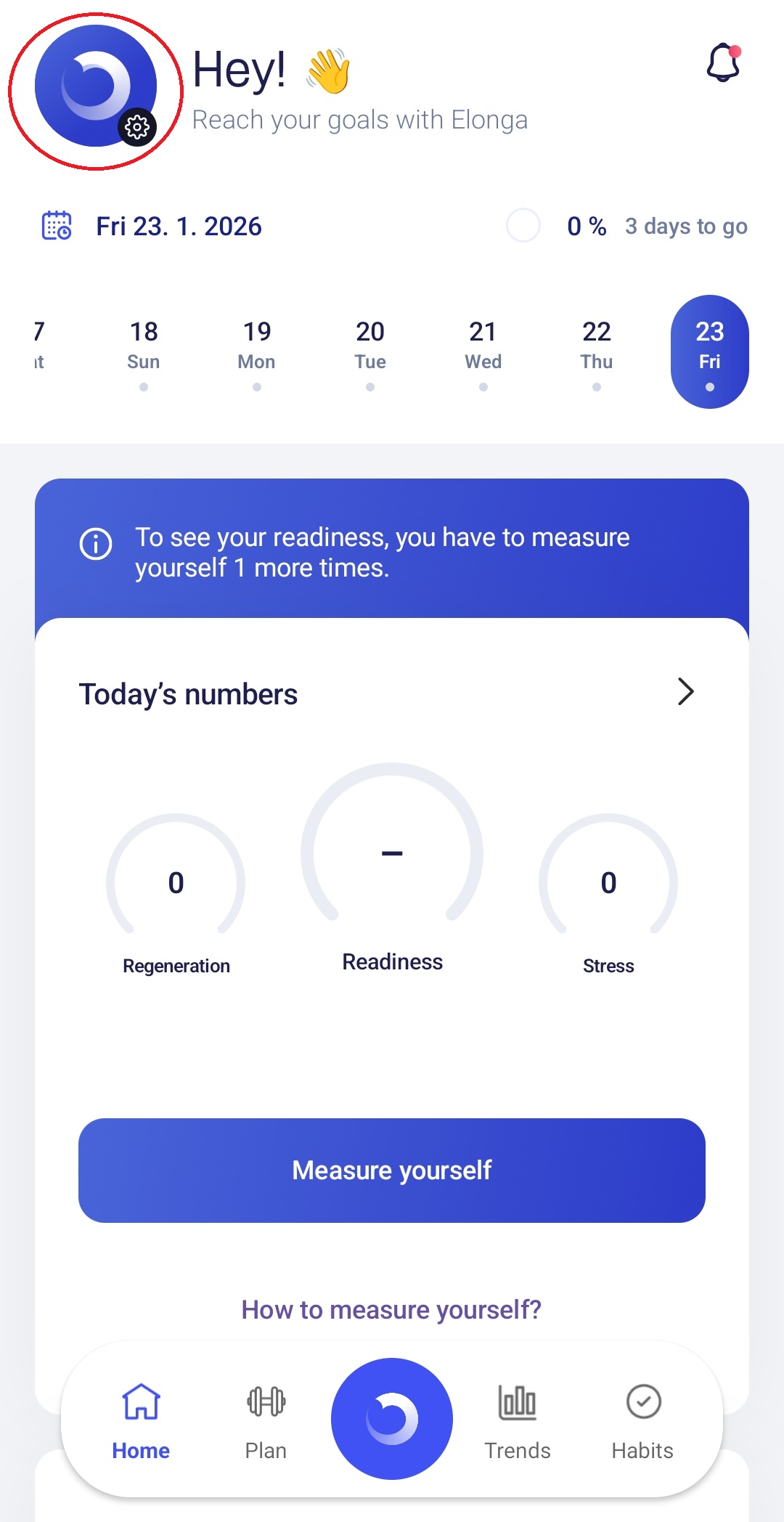
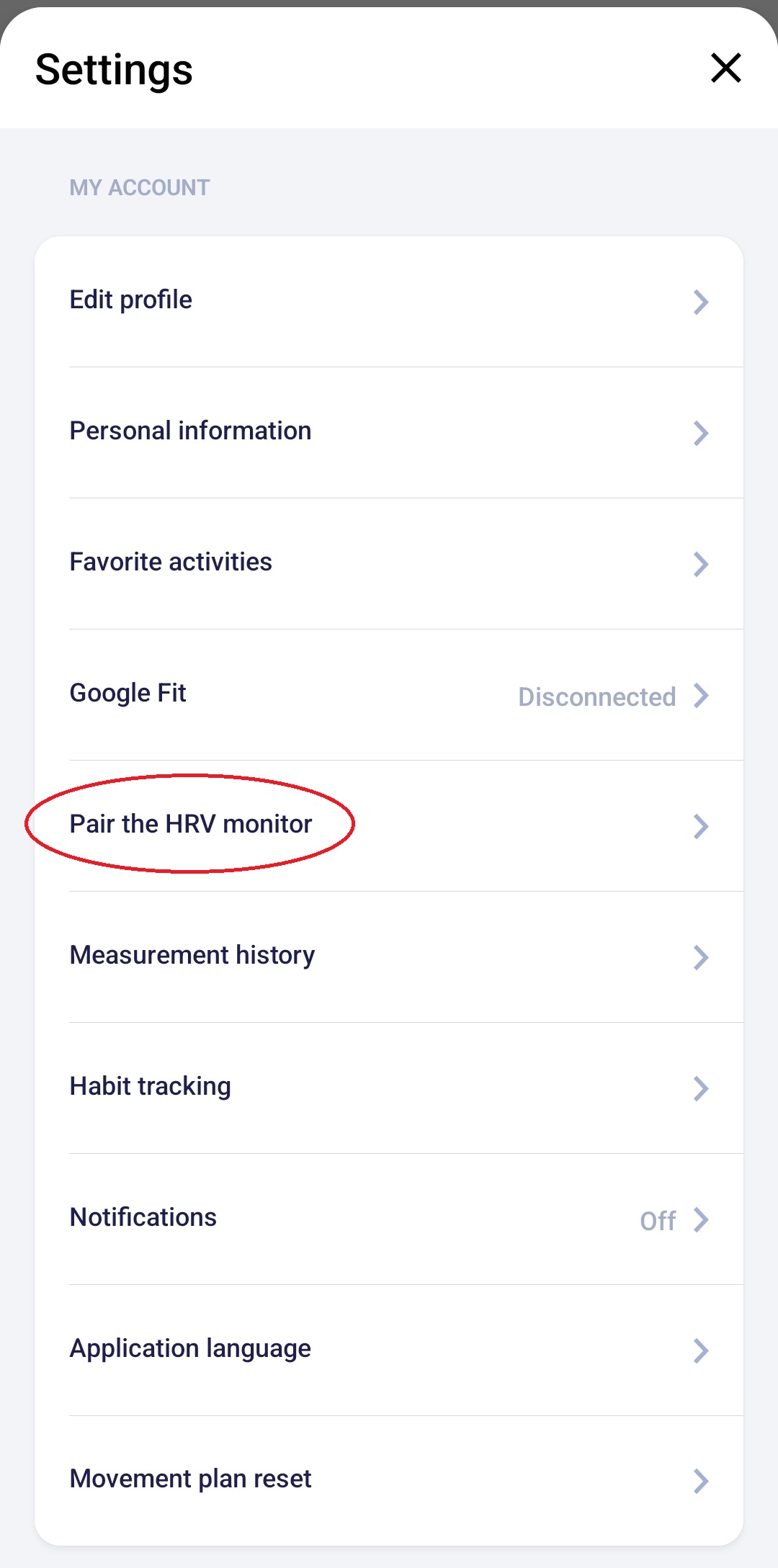
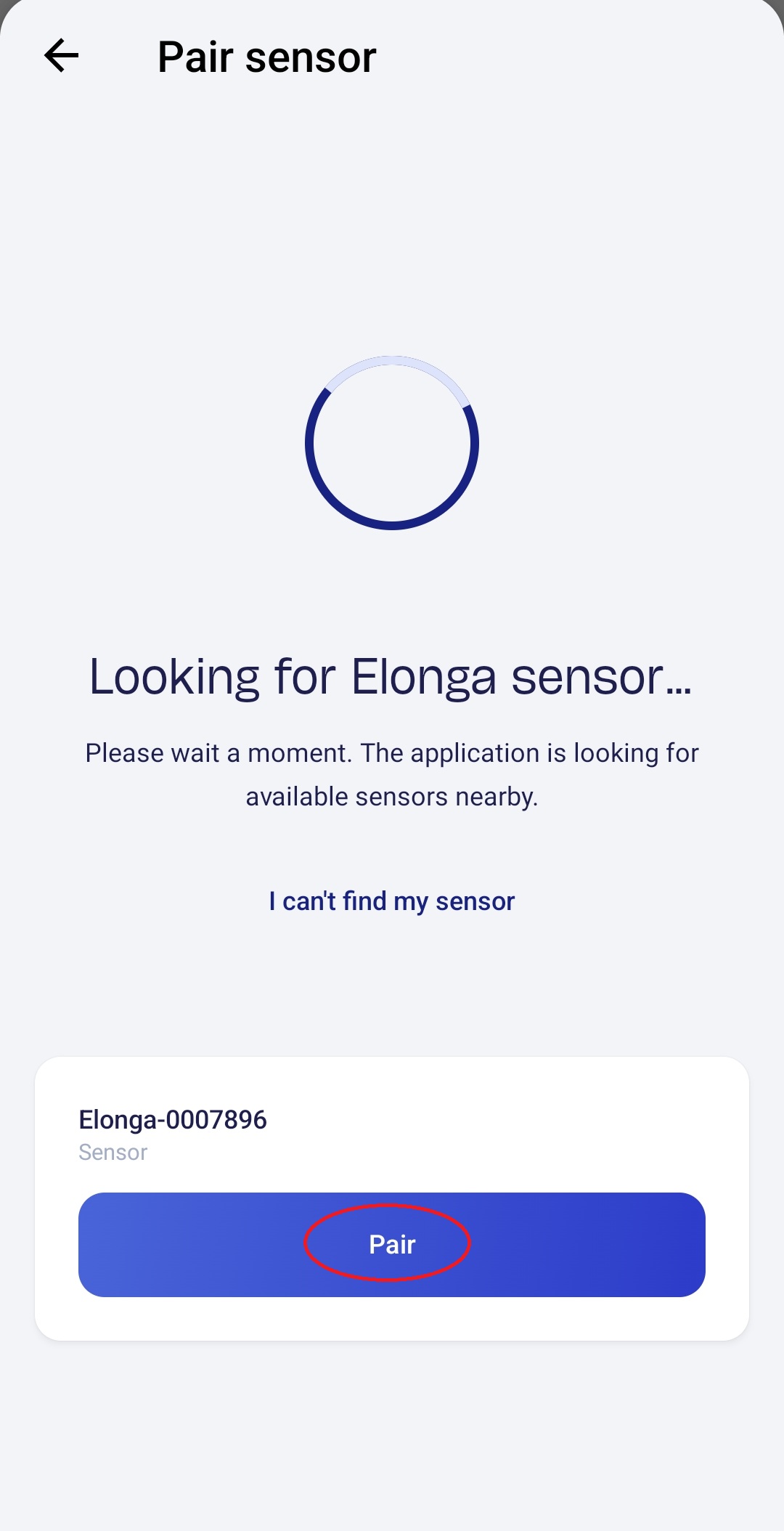
In the Elonga app, go to Settings → Pair HRV monitor and select your sensor.
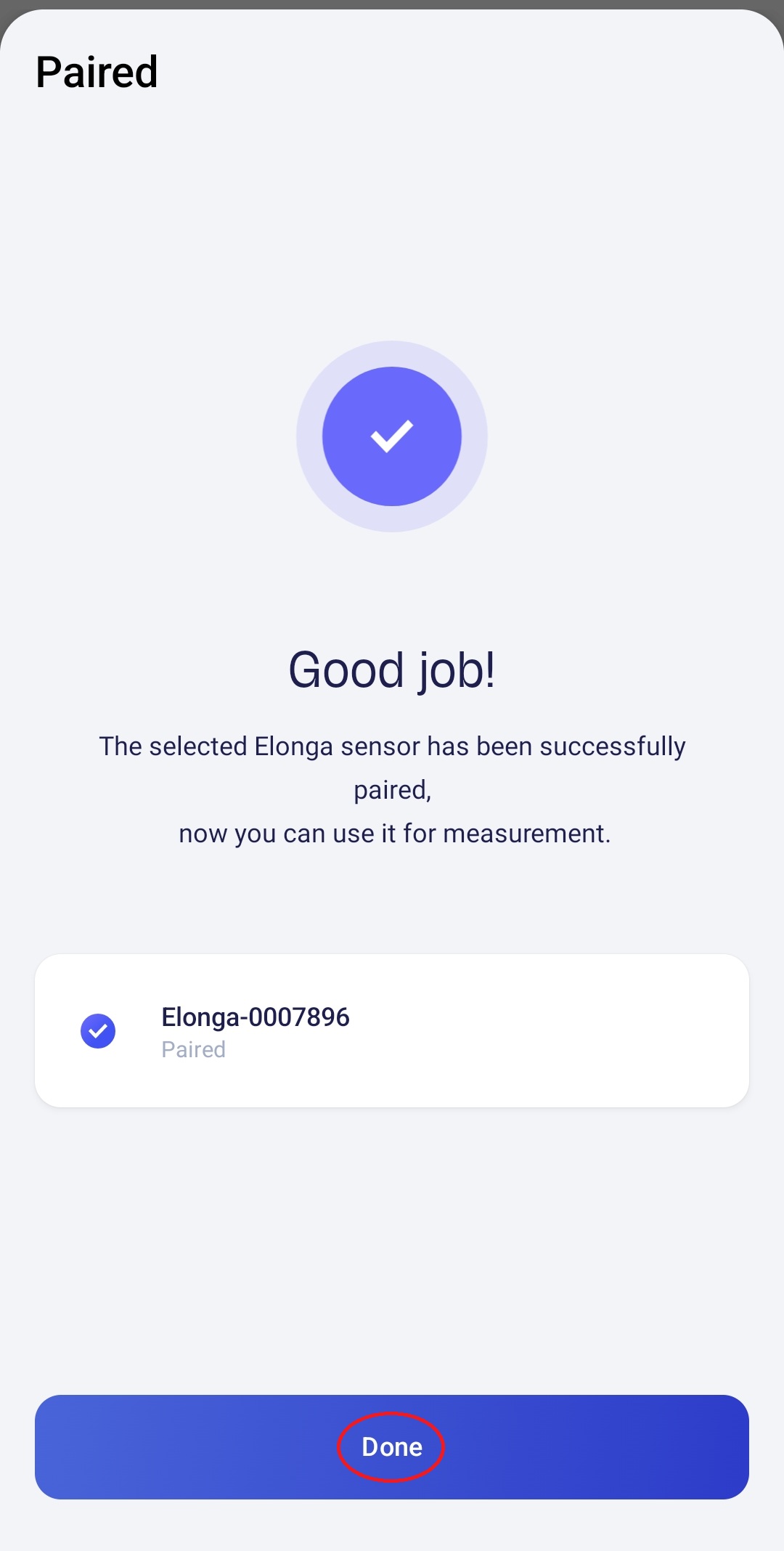
After pairing, a confirmation will appear in the app.
If the sensor doesn’t appear, make sure it is fully charged.
4. Take Your First Measuring
Measure in the morning after waking up, lying down, before food/coffee or physical activity.
Place the sensor on the inner side of your forearm.
Start the measuring in the app and stay still. It takes about 3 minutes.
The result will be saved automatically.
5. Explore the App
After your first 5 measurings, you’ll see an overview of your Readiness score, Stress, and Recovery values. In the following days, the app will start generating trend graphs.
Step Summary
Check the email with your login details
Download the Elonga app and log in
If purchased as a gift, email us for account transfer
Membership activates when the sensor is delivered
Charge and connect the sensor in the app
Take your first measuring
Need help?
If you don’t receive the access email within 24 hours, check Bulk / Spam or contact our customer support team.
Was this article helpful?
That’s Great!
Thank you for your feedback
Sorry! We couldn't be helpful
Thank you for your feedback
Feedback sent
We appreciate your effort and will try to fix the article