
You can easily verify the status, validity, and type of your Elonga membership directly in the app.
1. Where can I see if my membership is active?
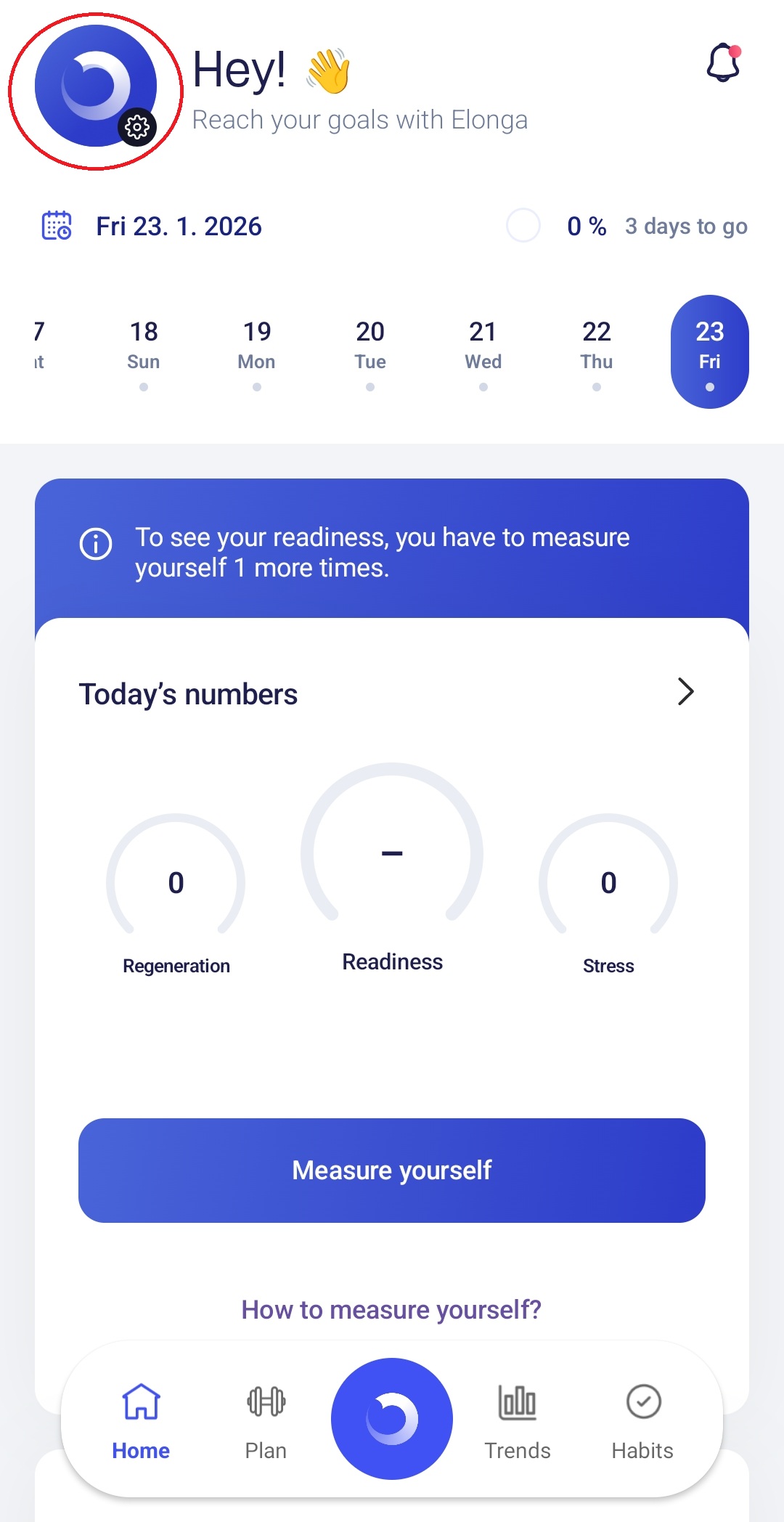
You can check your membership status in the Elonga app:
open the Elonga app
go to Settings (icon in the top left of the Overview screen)
select ElongaPlus
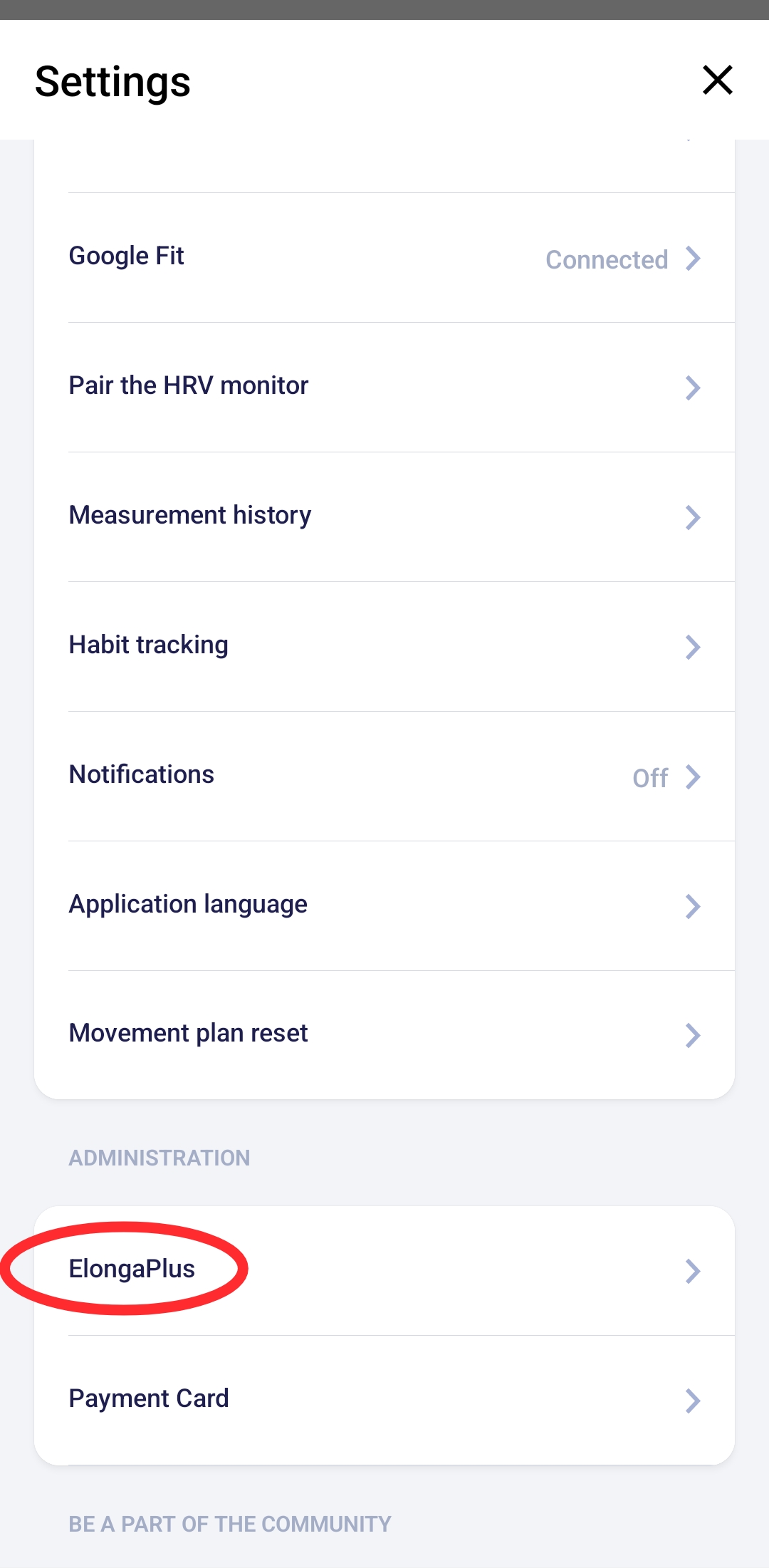
In this section you will see:
whether your membership is active
the expiration date (if applicable)
the type of membership (monthly / annual / two-year)
options to manage or modify your subscription
2. What does an active membership mean?
With an active membership, you have access to all features:
morning HRV measurement
movement plan
stress & recovery analysis
Fitness Score
activity synchronization
app updates and support
Without an active membership, measurements and advanced features are unavailable.
3. What if the membership is not active?
Most common reasons:
your subscription expired → you can renew it in the app
the subscription was never activated — often happens with gifts or email changes
a payment failed → updating the payment method usually resolves it
4. What if the membership status doesn’t display correctly?
Try:
logging out and back in
restarting your phone
verifying you are using the correct email (the one linked to your subscription)
If the issue remains, the account link may be incorrect. In that case, contact our support team.
5. When should you contact support?
Please reach out if:
your membership status appears incorrect
your subscription should be active (e.g., after purchasing the sensor) but the app doesn’t show it
you changed your email and need to transfer your subscription
you have a lifetime subscription and want to move it to another account
Was this article helpful?
That’s Great!
Thank you for your feedback
Sorry! We couldn't be helpful
Thank you for your feedback
Feedback sent
We appreciate your effort and will try to fix the article