
The Elonga app automatically follows the language set on your phone.
Ways to Change the Language
You can change the language in two ways:
1) Changing the Language Directly in the App
Open the Elonga app.
Tap the circle with your profile photo or initials in the top-left corner.
Select “App language.”
Choose Czech / English.
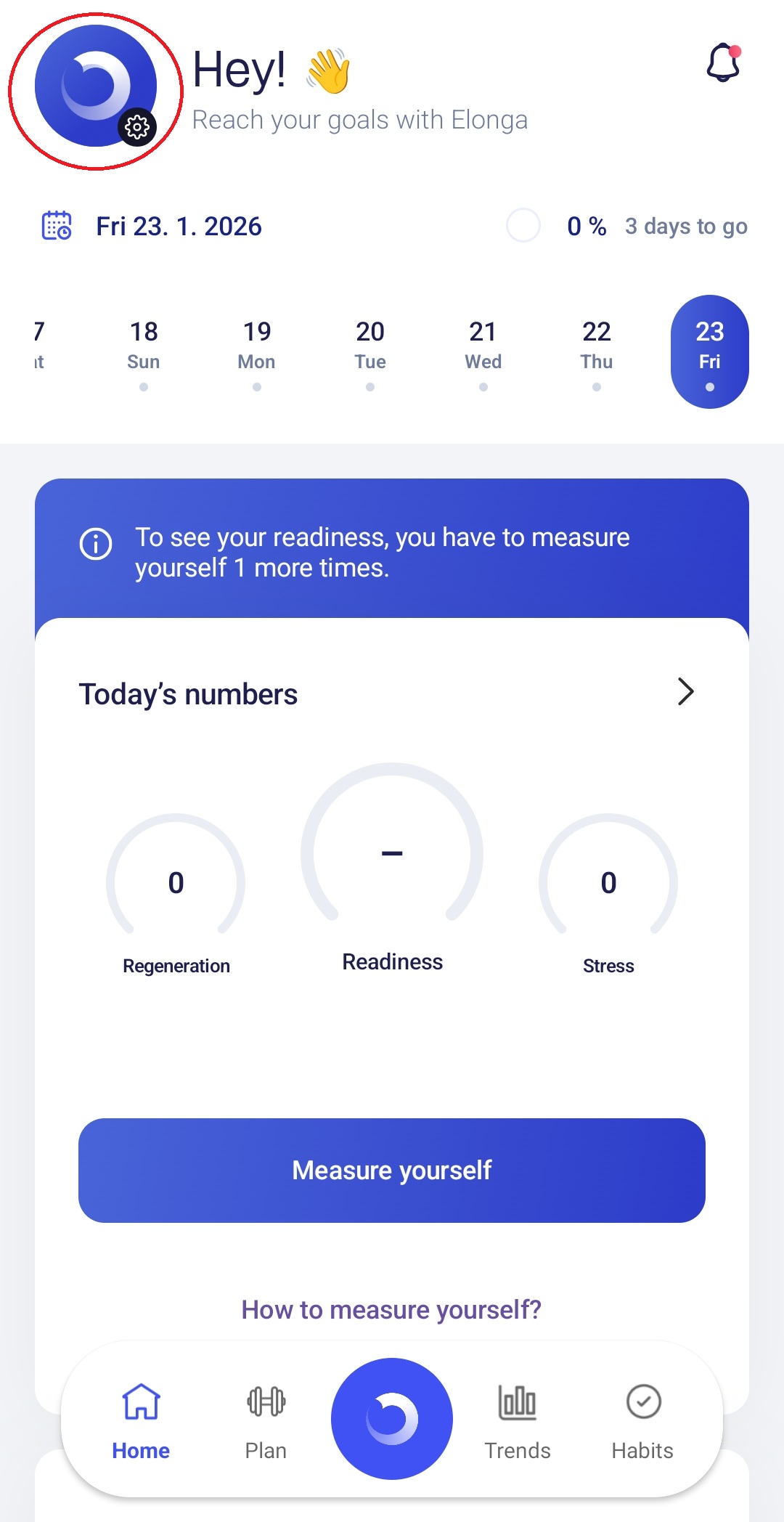
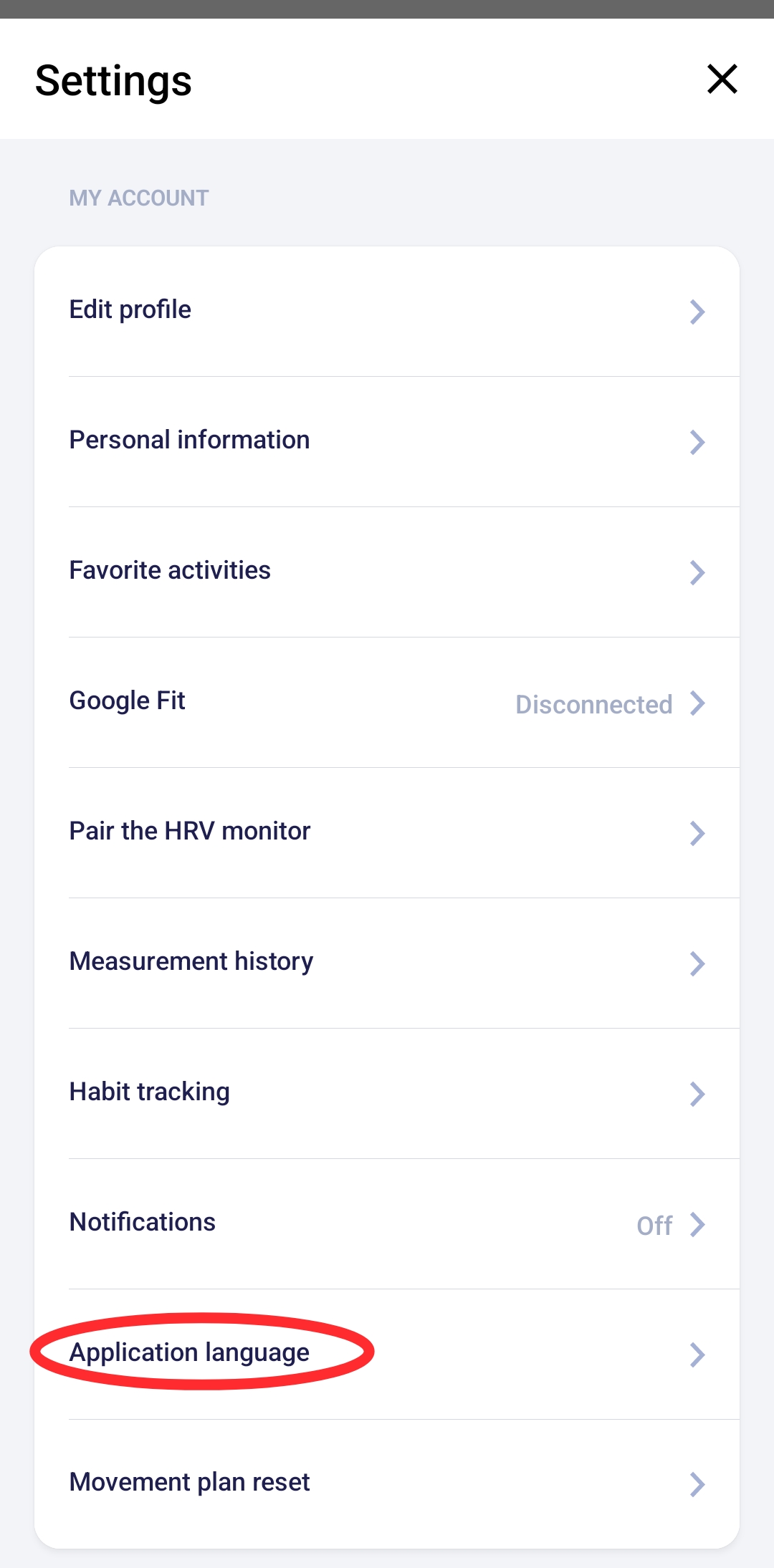
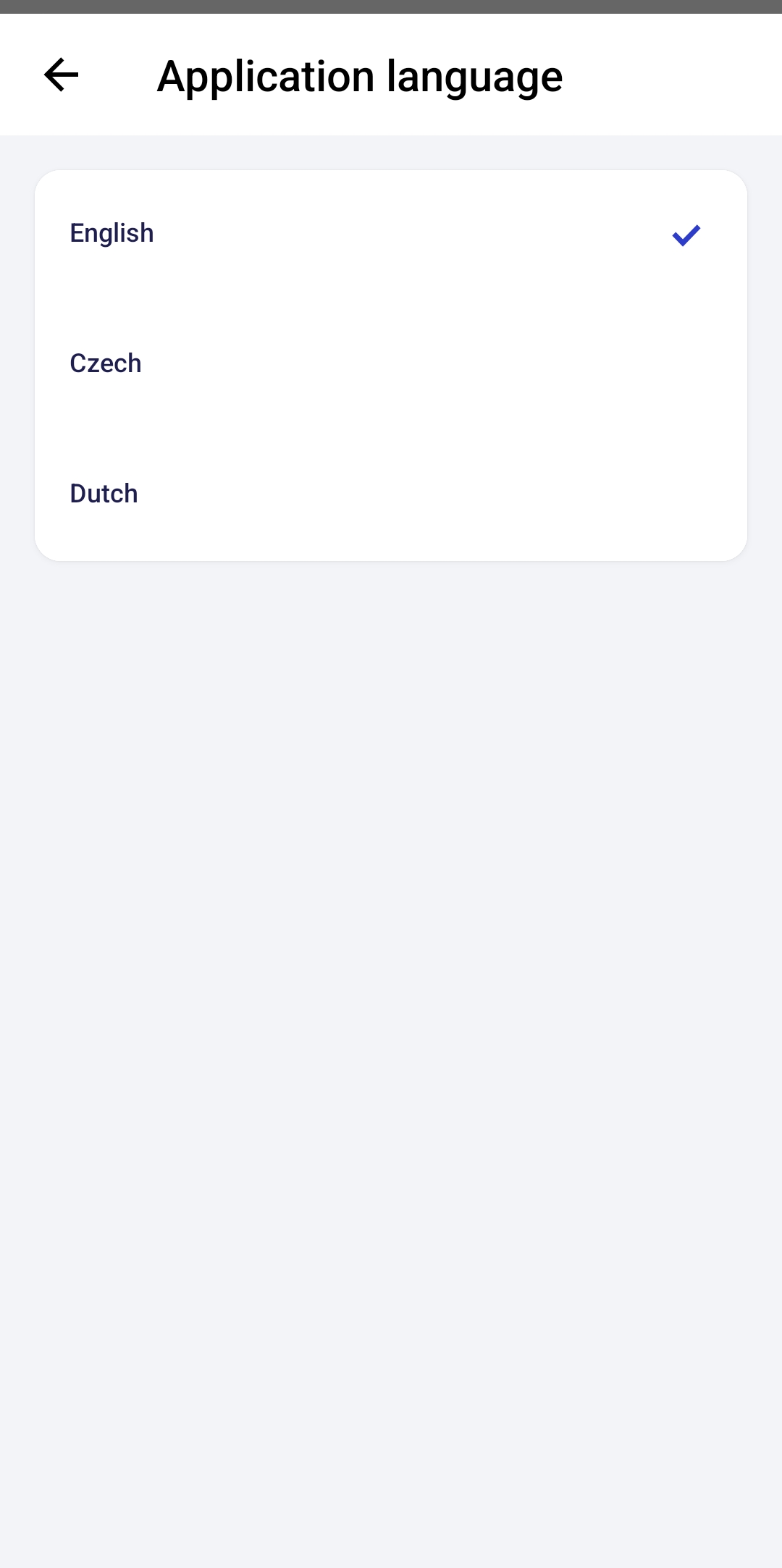
This allows you to switch the app interface language anytime according to your preference.
2) Changing the Phone’s Language
If you change the system language in your device settings, the Elonga app will automatically switch to that language as well. The app always adapts to the system language unless manually changed in the app.
Was this article helpful?
That’s Great!
Thank you for your feedback
Sorry! We couldn't be helpful
Thank you for your feedback
Feedback sent
We appreciate your effort and will try to fix the article