
In the Elonga app, you can customize your list of favorite activities so it matches your routine and preferences. This allows for faster and more convenient activity entry in the Plan.
1. What are favorite activities for?
Favorite activities allow you to quickly log the activities you perform most often.
They help you:
quickly log your most common activities,
have a clearer and simpler selection in the Plan,
tailor the app to your lifestyle.
You can set them individually. They are not fixed.
2. How to change your favorite activities
You can adjust your favorites at any time to match your real preferences.
Steps:
Go to Settings
Tap the Favorite activities tab
Tap + next to an activity to add it to favorites
Tap − next to an activity to remove it from favorites
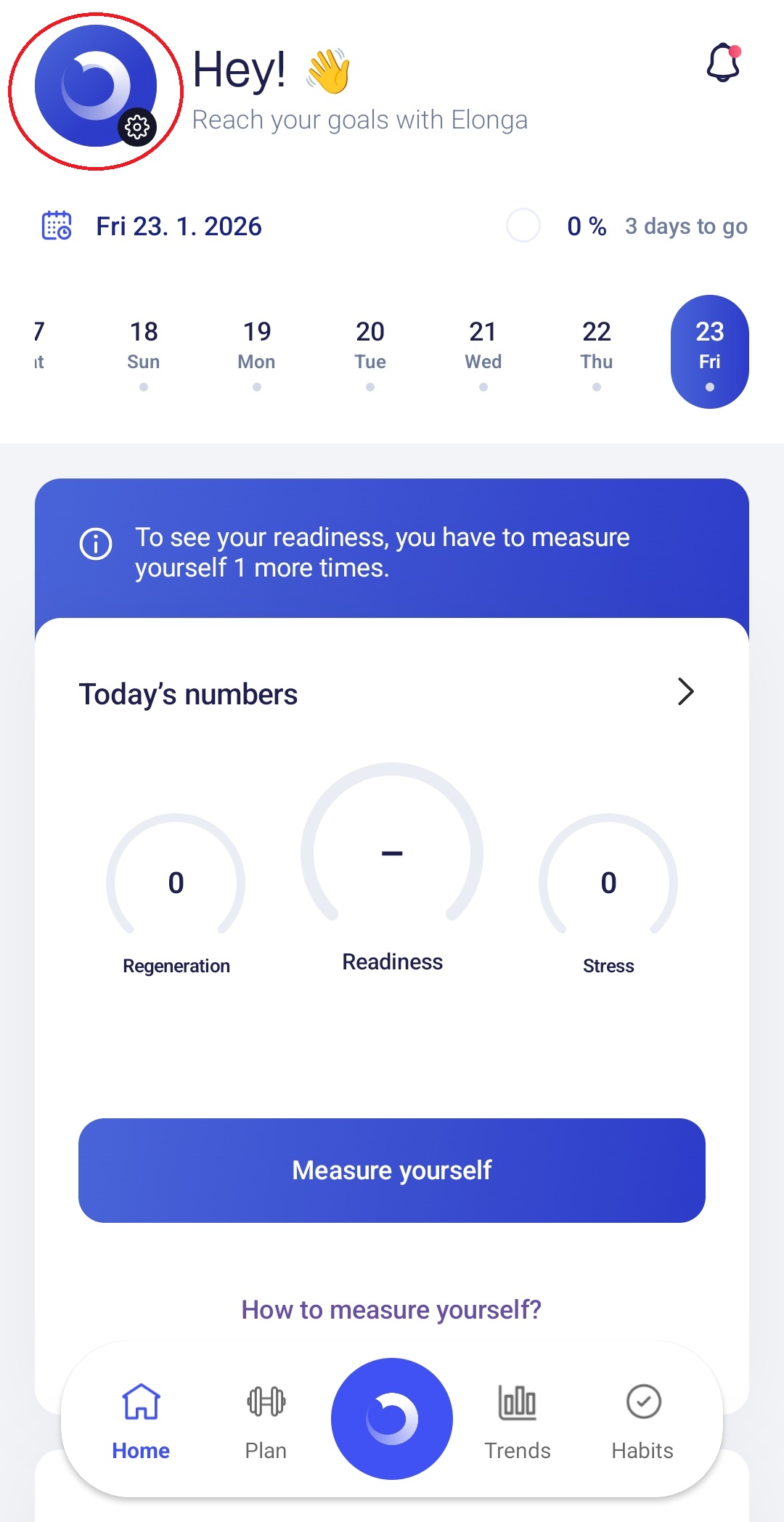
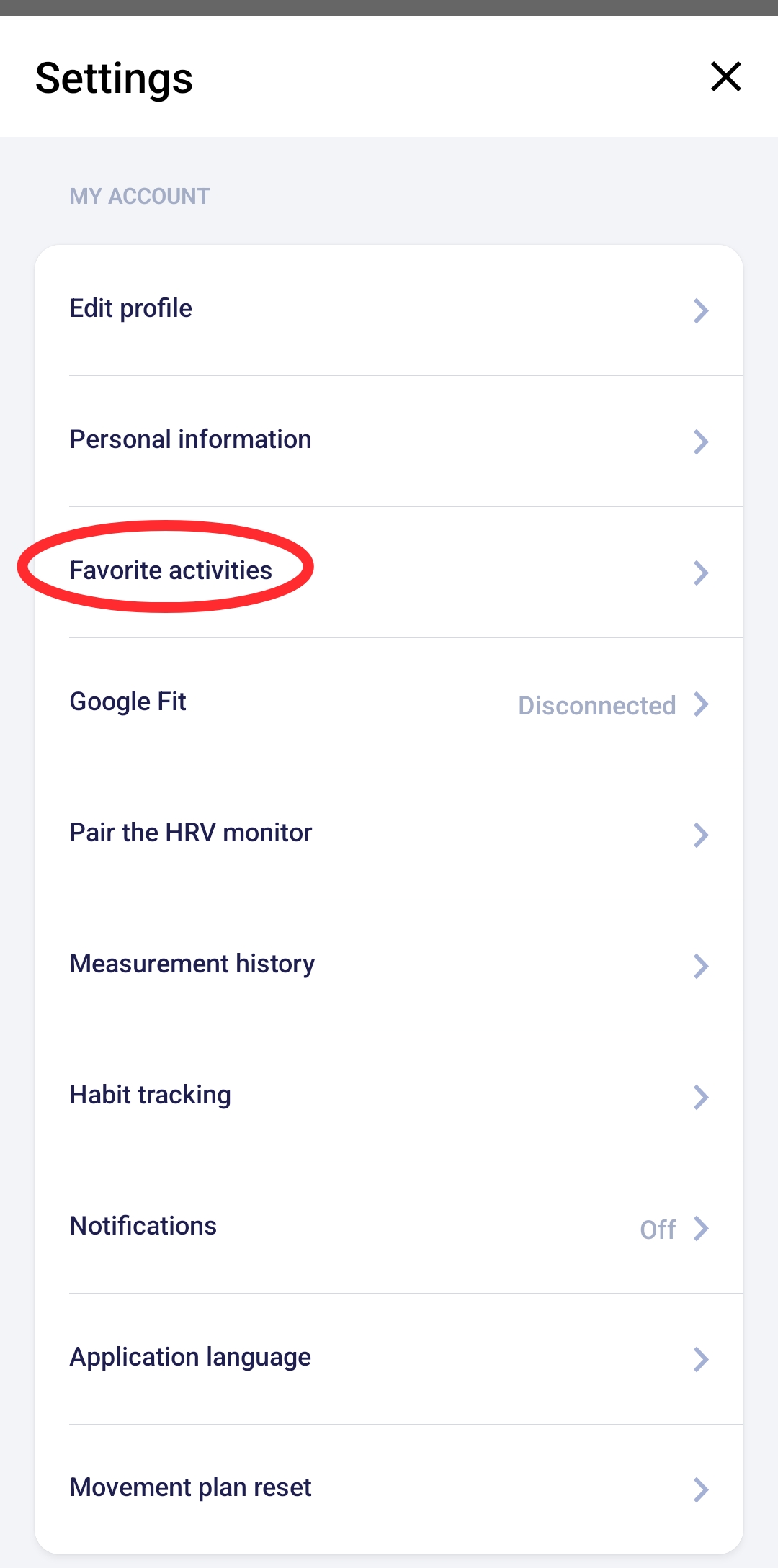
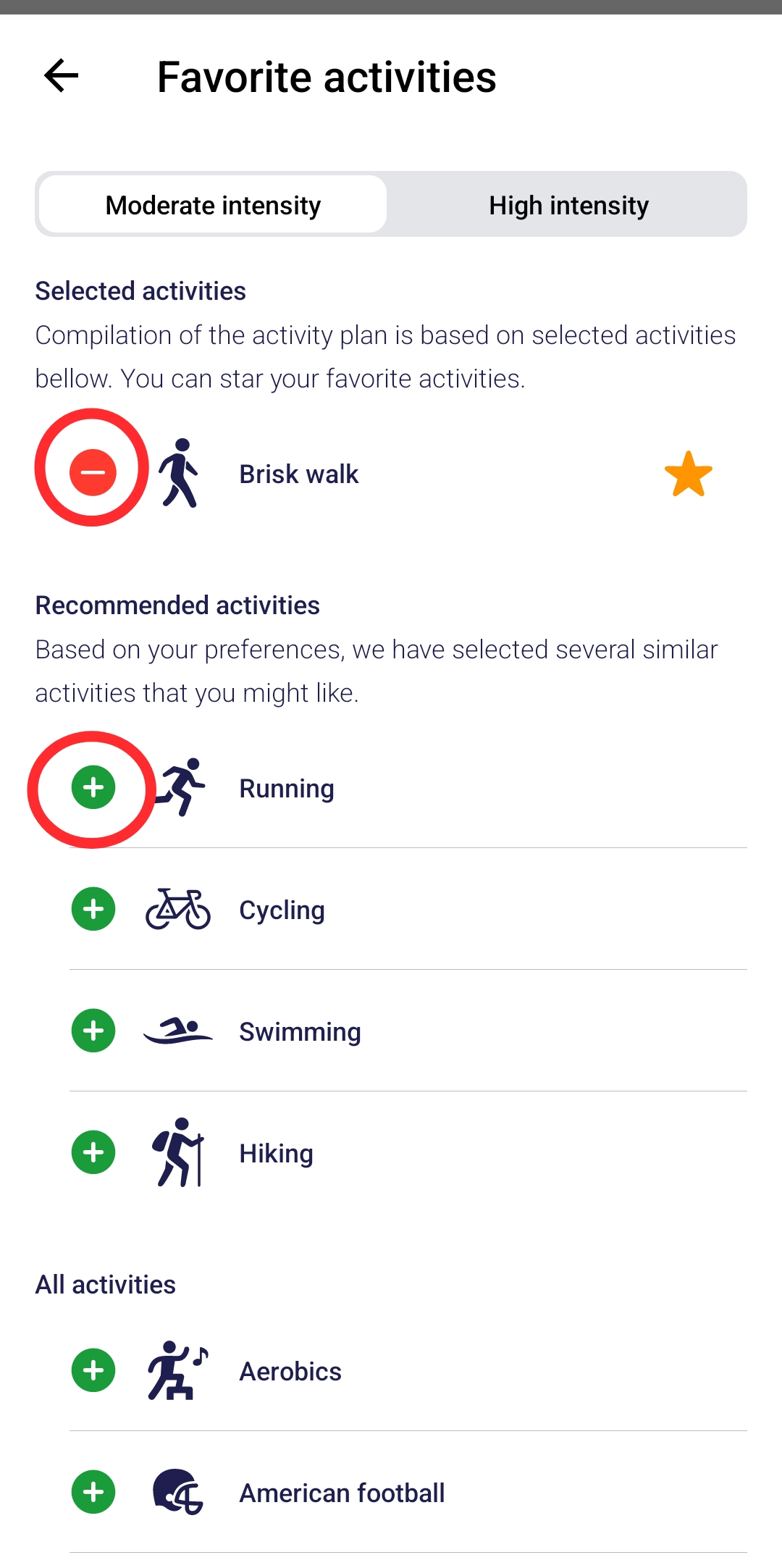
The update takes effect immediately. Your edited favorites will show up every time you enter an activity.
3. Tips for managing your favorites
Include only activities you do regularly.
Additional tips:
Adjust them anytime based on a new training phase
Update them seasonally if your routine changes
4. What if the list doesn’t match your actual activities?
If:
you start a new sport,
you stop doing certain activities,
you want faster selection in the Plan,
Simply update your favorites. This makes the app more accurate and efficient for everyday use.
Summary
Favorite activities can be edited anytime:
Changes are quick and apply immediately
Adjusting favorites speeds up manual activity entry
The app becomes better tailored to your lifestyle
Was this article helpful?
That’s Great!
Thank you for your feedback
Sorry! We couldn't be helpful
Thank you for your feedback
Feedback sent
We appreciate your effort and will try to fix the article